
Student success for colleges and universities
Two Taps.Your College in Their Wallet.
Free for your college. The campus gift students keep: on their home screen, in Apple Wallet or Google Wallet, or both.
A student scans once at orientation, and your college stays on their phone all year. One tap opens your Candle: the career center, jobs and internships, financial aid, housing and campus services, any time of day.
- No app to download
- No forms
- No login
- No student records
Two taps add it to Apple Wallet or Google Wallet, and it saves to the home screen on any phone. No personal information required.


Preview only. Claim your own Candle for free.
How to start
Four steps.About ten minutes.
- 1Find your college
Type its name and open your college’s own claim page. Not listed? Add it yourself.
- 2Confirm your email
Use your college email and open the link we send. No account, no password.
- 3Make it yours
Choose the first link students see, add your logo and accept the program terms. Change anything later.
- 4Give it to students
Same day: show the Candle hand to hand, print the sign, or email every student at once with the ready-made letter.
Several campuses? Pick them all, confirm your college email once, and the rest are added in one step.
Why it matters
The help is there.Students can't find it when they need it.
Students look for help in a hurry, often between classes. That is when help is hardest to find.
Too much at once
Dozens of offices in one busy week. By the time a student needs one, they can’t remember where it was.
The portal is forgotten
Help is three logins and a search away, and the student gives up.
Help is one tap away
The career center, financial aid, housing and campus services, together on the student’s phone all year.
Tap a card to turn it over.
Source: Inside Higher Ed and College Pulse, Student Voice survey of 3,000 students, 2023. Independent industry research, not a CandleMe result.
Scan. Save. Return.
From orientationto their wallet.
Use the same simple handoff at orientation, residence hall move-in, the dining hall or the career fair.
-
01Scan
They scan once
01 WhereAt the orientation table, a residence hall lobby or a dining hall table card. Just the phone camera, nothing to download.
-
02Save
They tap twice
02 Where it goesInto Apple Wallet or Google Wallet, and onto the home screen. Nothing to fill in.
-
03Return
You stay with them
03 ReturnThe card stays on their phone all year. Nothing to search for, nothing to remember.
Tap a cube to turn it.
- No app to download
- No registration
- No login
- No student records
The wallet card is the saved pass with your college's name and links, sent with CandleMe. Tapping it opens your Candle: your link first, then the student resources inside.
Why students say yes
Nothing isasked of them.
No app to download. No account to create. No form to fill out. They point their camera, tap twice, and are done before the next session starts.
- Seconds, not minutes. It fits into an orientation session or a career fair line without slowing anyone down.
- Your college's name on the card. The Wallet card carries your name, and your logo when you add one. It is sent with CandleMe.
- One clear line. Every sign and screen says "Two Taps. Add Us to Your Wallet."
Your College
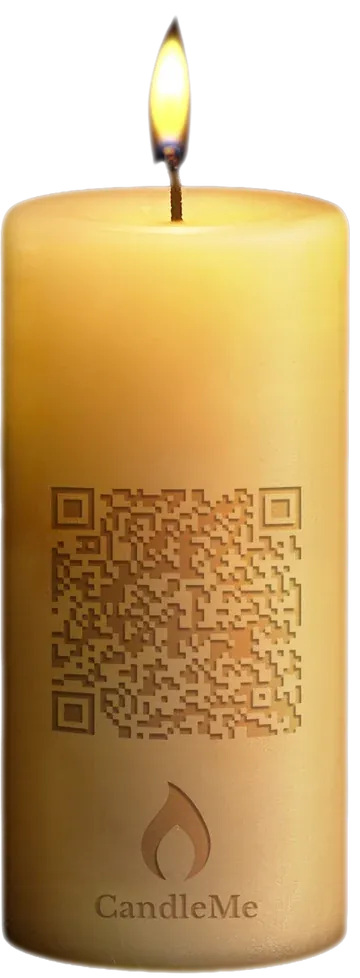

Scan for yours.
Two Taps. Add Us to Your Wallet.
Orientation and the career fair
Built for orientationand the career fair.


The card they keep
One tap away.On the home screen, in Apple Wallet or Google Wallet.
Apple Wallet or Google Wallet is the fastest way in: two taps and your college is on their phone. The Candle then guides them onto the home screen, where your college can reach them when it matters.
- 1Into their Wallet in two taps
The fastest way onto the phone. The card carries your college’s name and a button that opens your Candle.
- 2Guided to the home screen
Inside the Candle, arrows show exactly where to tap to save it to the home screen. On Android it goes straight to the home screen.
- 3Reach them when it matters
From the home screen, your college can send a few timely notifications: a deadline, registration, the career fair. Kept to what matters, so students keep them on.
Destinations
One gift.Everything a student needs to find help.
Your Candle has four doors, three places in each: Keeper, Lightway, Gateway and Doorway. The Keeper door is your college’s. First comes your link, your college website or your career center page. Next to it is our strategic partner, TutorABC: live online English lessons that help students speak with confidence in interviews and at work. TutorABC is a paid service with a free trial. Students try it only if they want to, and nothing is charged to the college. The third place is your choice: your own link or a sponsor you approve. You can change it any time. The other three doors hold nine student resources picked and kept up to date by Student Launch Path, chosen only for students. A place in those doors can’t be bought, and there is nothing for your staff to maintain.
Your college
- Your college first: career center or website
- Our strategic partner
- Your choice: your link or a sponsor you approve
Jobs and early career
Jobs and internships, career exploration, skills and credentials.
Academic, funding and housing
Paying for college, housing and learning beyond the classroom.
Next steps and support
Transfer and graduate school, study abroad, health and wellbeing.
Tap a door to turn it and see what is inside.
Students just see your college’s Candle. They never need to learn the door names.
Not an integration. Student Launch Path does not connect to your student information system and holds no student records. Your link is a page you already run, and you can change it any time.
Why a Candle
More than a welcome email.A Candle they keep.
A welcome email or portal link
- Easy to lose among hundreds of emails and browser tabs
- Limited branding, usually a subject line or small icon
- Can be forwarded, but the friend does not receive their own Candle
- No built-in reporting on saves, shares or which moment it came from

A Candle
- On their home screen, in Apple Wallet or Google Wallet, with your college's name and logo
- Your link first, changed in minutes, with student resources we keep current
- Shareable: the friend they share with receives their own Candle
- Measured: saves, returns and shares in your monthly report
For your departments
Every campus. Every department.Its own Candle.
Each campus gets its own Candle and its own claim page tied to your college. Career services, student affairs and other departments can add their own Candle, with their own links inside, under a separate agreement. You decide who gets one: a campus, the career center, housing, athletics or any office you choose.
- Your college's claim page
- About ten minutes
- Recovery included
Departments and campusesGetting started, campus Candles, tracking by campus and moment, and each department.

Getting started
Simple to claim.Simple to get back.
For your offices: each campus or department gets its own Candle in a few steps.
-
01You
Open your claim page
01 ConfirmConfirm with your college email and accept the program terms. No account and no password.
-
02You
Choose your first link
02 First linkStart with your career center or your college website. Add your logo. We fill the other doors with student resources.
-
03We
We send the artwork
03 ArtworkYour Candle signs and table cards, ready to print for orientation, move-in and the dining hall.
-
04Students
Students get a gift
04 ShareStaff share the Candle at orientation, the career fair and advising appointments. Students save it in two taps.
Tap a step to turn it.
Campus Candles
Each campus on its own Candle.Its own links inside.
- Its own claim page. Every campus is claimed and set up on its own, so each one points to its own offices.
- Your college around it. Your name and logo on every campus Candle.
- Its own link. Each campus or department points its link at its own office page.
- It stays with the college. When staff change, the Candle keeps running, so students still reach the right office.
Example campus Candles. The campus name sits where the QR sits on your college's Candle sign.
Every campus, tracked
College. Campus. Department.Moment.
Every campus is tracked inside your structure. Every Candle is unique, so you can see the opens, saves and shares for each one, and which campus and moment each came from, without knowing which student holds it.
- College Your College
- Campus Main Campus
- Department Career Services
- Moment Career fairUnique Candle
- Department Student Affairs
- Moment OrientationUnique Candle
- Department Career Services
- Campus Downtown Campus
- Department Advising, Housing, Athletics
- Campus Main Campus
Example structure. We set up your campuses and departments from the list you send.
Across the college
One Candle system.Every department.
- Department
Career services
Best momentGive it at the career fair and keep jobs and internships one tap away.
- Department
Student affairs
Best momentGive it at orientation, welcome week and move-in to see activity by campus and moment.
- Department
Campus partners
Best momentDining halls, bookstores and auxiliary services put the Candle where students already gather.
- Department
Athletics
Best momentShare it on game days and at team events. Student athletes keep it like everyone else.
Recovery, built in
If their Candle is lost,it is easy to find again.
A new phone, a deleted pass or a missed email. Every student at a campus gets the same college Candle with the same links, so there is nothing personal to look up: the student goes back to studentlaunchpath.com, chooses your college and campus, and saves it again.
- 1Lost CandleNew phone or deleted pass
- 2studentlaunchpath
.com One address to remember - 3Choose your collegeThen their campus
- 4Save againBack on their phone in two taps
Private by design. Students give no name, email, phone number or student ID to save or recover a Candle. There is no login, nothing to install and no student records are held.
How sharing worksWhat the friend receives and an example chain from one orientation table.
Sharing
Every share reaches another student.And you can see the chain.
Every Candle a student shares can bring your college's help to a roommate, a lab partner or a teammate. Their card opens your Candle, with your link first.
Shared in person or by text. The student receiving it saves their own Candle in seconds, and it stays linked to the one it came from.
How it works
They share it.Another student saves their own.
When a student shares their Candle, the friend they share it with receives their own, connected to the one it came from. That friend can open the career, aid and housing links, and share it too.
You see which Candles lead to new students saving by campus and by moment without asking anyone to fill out a form. Students do not provide a phone number, email address or login to save.

Example chain
One orientation table.Connections you can follow.
Illustrative example. How far a Candle travels depends on your students.
Each shared Candle is connected to the Candle it came from, so you can see which campus and which moment started the chain. No registration or contact details required from the student.
Optional sponsor
Simple terms.Paid monthly.
Entirely optional. The featured resource in your Keeper door can go to one local sponsor you approve, such as a credit union or a bookstore. You can leave it off or remove it whenever you choose. Your Candle stays free and works the same either way.
If you choose, a local credit union takes the one sponsored position. Students can see "Banking for Students" next to your Career Center link. The sponsor sees activity totals for that placement, never who your students are.
Always your choice
You see the sponsor and its placement first. One email to us removes it later.
Activity totals only
A monthly count of views and clicks on its own link. Nothing about who tapped.
One sponsor, every campus
Your staff deal with one sponsor and one agreement, not a separate deal for each campus.
50% of sponsorship revenue
That rises to 60% when your college brings the sponsor. Calculated on sponsorship for your Candle only.
Tap a card to turn it over.
- Monthly statements and paymentsClear statements each month, with payment on the same schedule.
Revenue depends on a sponsor booking the position. Your Candle is free and works the same with or without one. Local businesses can read more on the campus partners page.
Pricing
Simple pricing.Free for your college.
Your Student Resource Candle has no platform fee, with or without a sponsor. Start with one campus or every campus.
- For collegesFree, with no platform feeYour Student Resource Candle for each campus, the Candle artwork and a monthly engagement report. Our strategic partner, TutorABC, is how we keep it free.
- To startAbout ten minutesOne staff member with a college email accepts the program terms and adds your first link. No paperwork, nothing to install.
- Paid programsOur standard plansGraduation, alumni, admissions, athletics, events and department Candles use our standard CandleMe plans. A graduation class is usually one Candle on Professional or Enterprise; each graduate who receives it is an activation. See plans and prices →
- SponsorOnly if you chooseOne optional sponsor, always your college's choice. Your college receives 50% of the sponsorship revenue, or 60% if you bring the sponsor. Payments are monthly.
Included: a monthly engagement report with saves, returns, shares and the links students use. A dashboard if you want one.

FAQ
Questions colleges ask.
Straight answers on students and privacy, your systems and campuses, cost and sponsors. If yours is not here, bring it to a short call.
Students and privacy
Is there an app to download?
No. Your Candle is a web app. It opens in the phone's browser and saves to the home screen in a few steps, with its own icon, just like an app. Nothing to download from an app store. The Candle walks each student through it on their phone.
What student data do you collect?
None that identifies a student. Students give no name, email, phone number or student ID, and Student Launch Path holds no student records. Your report shows activity totals, such as saves, returns, shares and link opens, by campus and by moment.
How do students get it?
Wherever you already meet them: orientation, welcome week, residence hall move-in, dining hall table cards, the career fair and advising appointments. Staff can show their own Candle on their phone, or students scan a Candle sign you print from our artwork. It also works through a link in a student email or on your website. Each scan or tap opens your Candle, ready to save.
Your systems and campuses
Does this replace Canvas, Handshake, Banner, Slate or Navigate?
No. It works alongside them and makes them easier to find again. Your link can be your college website or your career center page, which often lead students to those tools. There is no integration to set up and nothing for your staff to learn.
We have several campuses. How do we start?
Use Set up all our campuses: pick every campus, open the first one and confirm your college email. Your other campuses are then added in one step, with no new email, each with its own Candle and claim page tied to your college. A campus with a different email address is confirmed on its own page. Set up all our campuses
Does TutorABC cost students anything?
Only if they choose it. TutorABC offers a free trial, then paid plans. Students can look and move on. The Candle, the career center link and everything else stay free for students and the college.
Does it connect to our student information system?
No. Student Launch Path does not connect to your student information system and holds no student records. Your link is simply a page you choose. Tell us about your setup in a meeting and we will walk through what fits.
What should our first link be?
Most colleges choose the career center. Your college's website works too. It is the page students reach first when they open your Candle. See the four doors.
Can we change what's inside later?
Yes. Change your link any time from your claim page, and students see it the next time they open their Candle. We keep the student resources in the other doors up to date.
Cost and sponsors
Will there be ads or sponsors in our Candle?
Your Candle always includes our strategic partner, TutorABC, next to your first link. The third place is your choice: your own link or a sponsor you approve. You can change it any time. Sponsors are always your college's choice and are never forced on you. If you want one, there is only one sponsor, you approve it, and you can remove it at any time. Your Candle stays free either way.