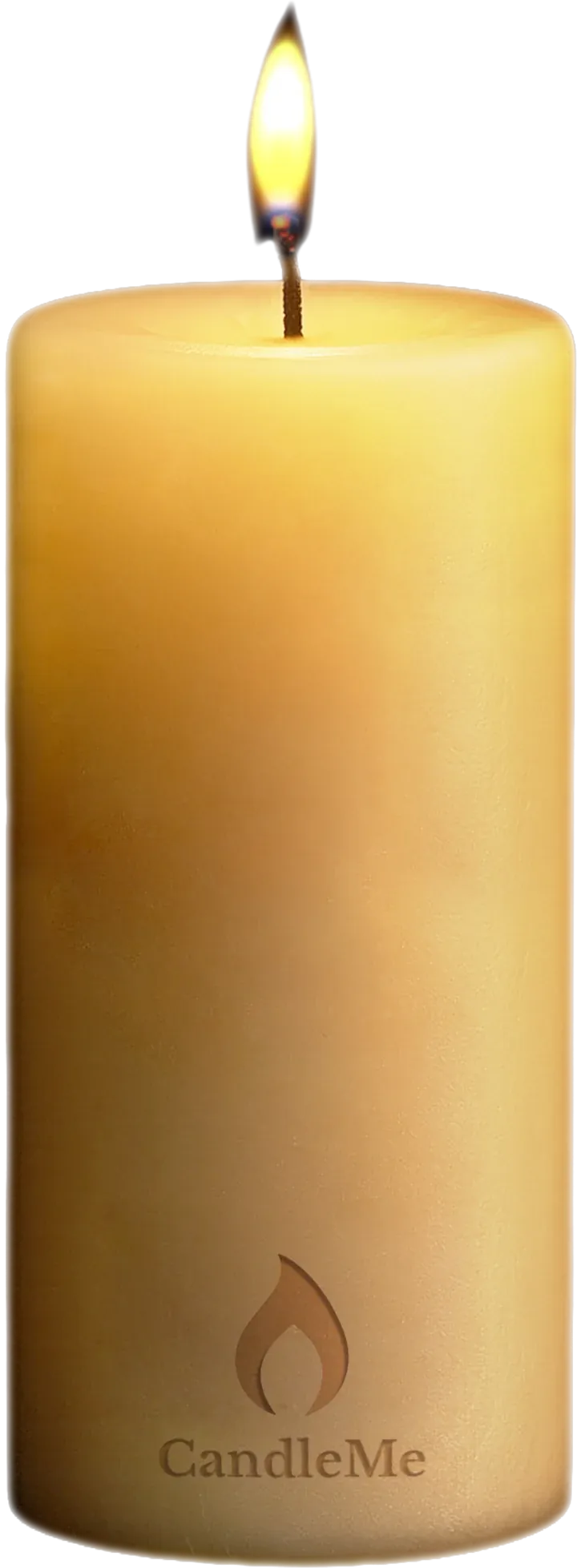
"What does my customer actually get?"
See it from the customer's side
- How It WorksScan once, two taps, saved
- Home Screen & WalletUp to 12 destinations you choose
- SharingOne customer passes it on
Customer retention for car dealerships
The dealership gift customers keep: on their home screen, in their Wallet, or both.
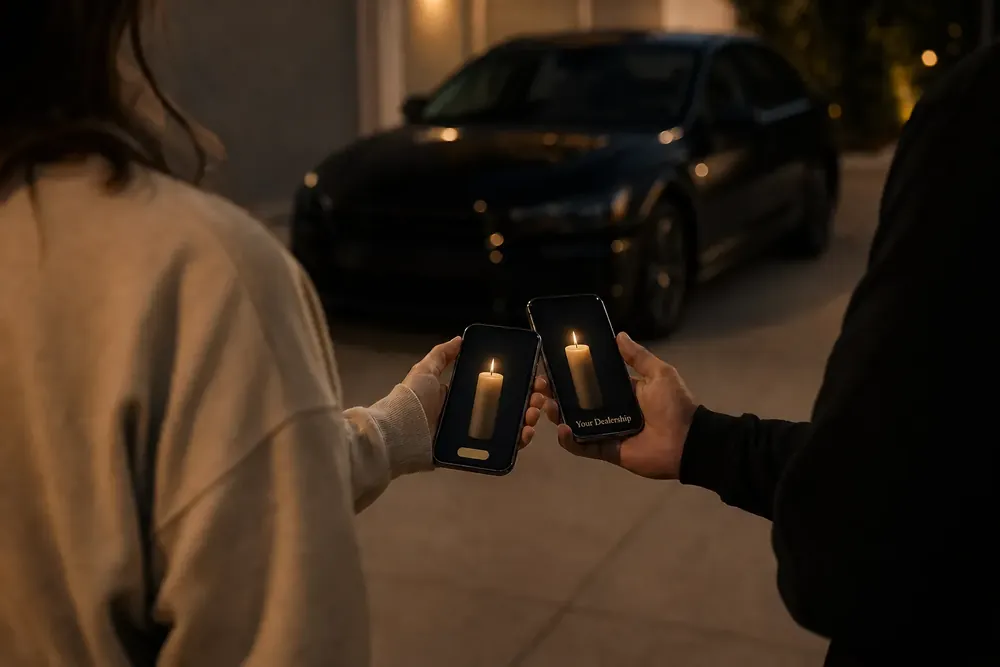
Your customer scans once, and your dealership stays on their phone long after they drive off the lot. One tap opens your Candle: service, current offers, their salesperson, directions and reviews.
The customer sees the official Add to Wallet button for their phone, and two taps they're in. No personal information required.


Preview only. Your own Candle starts with a pilot.
Why it matters
The customer you worked hard to win is easy to lose.
It goes home with the buyer and ends up in the glove box.
The card is lost, and the nearest shop is one search away.
Your Candle stays on their home screen or in their Wallet. One tap opens service, offers and their salesperson.
Tap a card to turn it over.
Service retention
A place on their phone puts your service lane one tap away.
Every visit is another chance to scan, including customers who bought their vehicle somewhere else. Schedule Service, service specials and their advisor stay in their wallet.
Not another dealership app or CRM. It works alongside the systems you already run, such as CDK Global, Reynolds and Reynolds, Dealertrack, VinSolutions, DealerSocket and Xtime. Each destination links to your existing website, scheduler and tools.
Where to go next
Pick the question you have right now. Each path takes two or three short pages.
"What does my customer actually get?"
"How does it work for my staff and stores?"
"Is it worth trying at my store?"
Start with one store
Run a paid 30-day pilot at 1 to 3 locations and see how it works with your own customers.
Why CandleMe
A saved link takes someone to a page. A Candle is something your customer keeps in their wallet, comes back to when service is due, and passes on to the next buyer. The destinations inside can change. The Candle, and the connection to your store, stay.
Customers save your Candle without registering, logging in, or sharing personal information. Two taps.
Schedule Service, specials, their salesperson, directions and reviews stay together in the customer's wallet.
Every share gives someone new their own Candle. See which stores and team members create the most activity.
Tap a cube to turn it.
Dealerships lose customers between delivery and the next decision: the first oil change, the next tire, the next vehicle. Service scheduling, offers, reviews and their salesperson sit in different places. CandleMe brings them together in your Candle and lets customers save it before any registration. That makes your dealership easier to keep and easier to come back to.
A unique Candle is prepared for your store and for each team member you choose. No paperwork.
It reaches the customer at delivery, at the service desk, or by text.
The customer saves it in two taps and returns to everything inside.
Every share gives someone new their own Candle, connected to the path it came from.
Tap a cube to turn it.
Everything together in your Candle, on your customer's phone.
Run it with your own customers, your own team and your service drive. Customers see a gift. You see saves, returns and shares on your dashboard.
How it works
The customer scans once, taps twice, and your dealership wallet card is saved on the phone. Your team hands it over in seconds, from the lot to their wallet.
The dealership gift customers keep.
Scan. Save. Return.
Use the same simple handoff at delivery, in the showroom, or in the service lane.
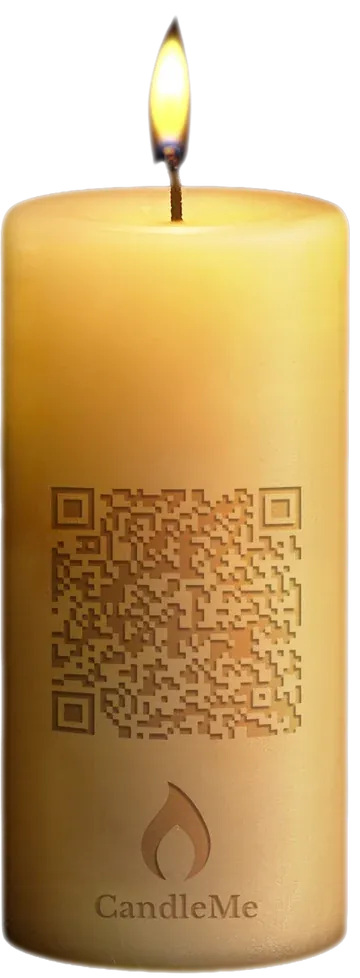
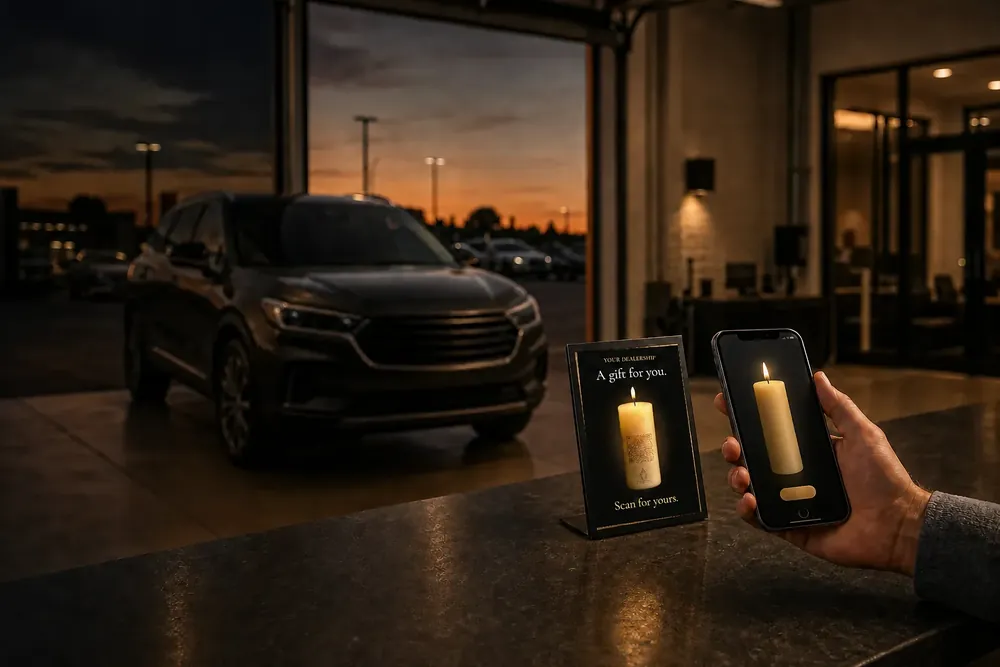
The QR Candle on the sales desk, with the delivery paperwork, or on the service counter. One scan with the phone camera.
The customer sees the official Add to Wallet button for their phone, and two taps they're in. Your dealership wallet card is saved.
Your wallet card stays on their phone. One tap opens your Candle: service, offers, their salesperson. No business card to lose.
Tap a cube to turn it.
The wallet card is the saved pass with your name, logo and links. Tapping it opens your Candle and the destinations you choose.
Why customers say yes
No app to download. No account to create. No form to fill in. They point their camera, tap twice, and can be done before the keys change hands.
Your Dealership
A gift for you.
Scan for yours.
Two Taps. Add Us to Your Wallet.
Sales and service
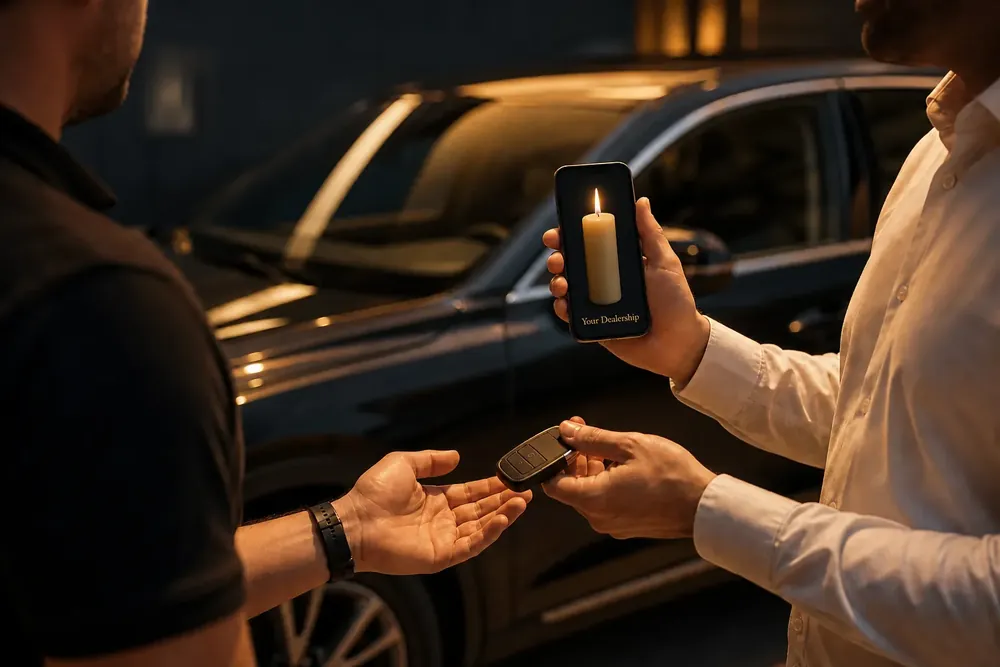
Service is where the relationship lives after the sale. The same simple handoff works for new buyers, current owners and customers who bought elsewhere. With a wallet card that opens Schedule Service, your team can make the way back to your service drive easy to find.
Source: Cox Automotive, 2025 Service Industry Study. Independent industry research, not a CandleMe result.
Rollout
Your team shows the Candle on a phone or points to the QR Candle on the desk. That is the whole handoff.
Destinations link to your existing website and tools. CandleMe is not another dealership app or CRM.
See it in your store
Start with a paid 30-day pilot at 1 to 3 locations (recommended), in sales, service, or both. Track activations, saves and destination engagement as you go.
We supply the QR Candle artwork. Need a stand or display? We can point you to a source; you order it directly.
Home screen and Wallet
Your customer keeps your Candle on their home screen, in Apple Wallet or Google Wallet, or both, with your dealership's name, logo and website. Saving it is easy: the Candle shows each customer, on their own phone, exactly which button to tap. One tap opens service, offers and your team.
Built for the next service visit, the next offer and the next conversation.
The card they keep
The home screen works best: one tap opens your Candle. Customers can also add it to Apple Wallet or Google Wallet as a CandleMe card with your name, and your logo when you add one.
Your dealership's name, and your logo when you add one. It opens your Candle, with up to 12 destinations.
The customer sees the official Add to Wallet button for their phone, and two taps they're in.
The Candle points at the exact button to tap on each phone, step by step, so customers save it in seconds.
Home screen works best: one tap opens everything. The Wallet card is there too, with your name on it.
Tap a cube to turn it.
Works with
Customers see the official Add to Wallet button for their phone.
Destinations
Choose up to 12 destinations, three in each of four doors, and change any of them in minutes. Each one links to the website and tools you already use, so there is nothing to replace. Most dealers start with service, because the return visit is what keeps the relationship alive.
Most dealers start with four
Keep the third for referrals, or let an approved local partner book it.
Every door can be yours. One or two are usually enough, which leaves the rest to earn from, if you want to.
Tap a door to turn it and see what is inside.
In your dashboard the four doors are called Keeper, Lightway, Gateway and Doorway. Customers never need to learn those names.
Links you choose, not an integration. CandleMe does not connect automatically to your DMS or CRM. Each destination is a link to a page or tool you already run, and you can point it somewhere new at any time from your dashboard.
Why a Candle
All four doors are open during your paid 30-day pilot at no extra cost. Every destination links to the tools you already use.
For your team
Each salesperson and advisor gets their own Candle, with their own booking link, tied to your dealership and store. When service is due, the right person is still one tap away. You decide who gets one: sales, service, BDC, finance, managers, anyone you choose.
Staff onboarding
For your employees: every salesperson and advisor gets their own Candle in a few steps.
Choose the destinations inside your dealership Candle, and decide how many of the up to 12 each person can change.
Every employee gets a unique Candle, sent to them individually by email or text. Managers can also show a staff-only QR for their store.
An employee number, email or mobile number. That is it. Their Candle is already linked to the right store and department.
Your employees share their Candle at delivery, at the service desk or by text. Customers save it in a few taps.
Tap a step to turn it.
Staff Candles
Example staff Candles. Each person's name sits on the wax, where your dealership's own Candle shows its code.
Every location, tracked
Every location is tracked inside your hierarchy. Every person gets a unique Candle, sent individually by email or text. Every Candle is unique, so you can see how each one is used: opens, saves, shares, and which person and location it came from, without knowing who holds it.
Example structure. We set up your stores and departments from the list you send.
Recovery, built in
New phone, deleted pass or a missed email. Each team member opens your private recovery page and gets back the Candle already assigned to them.
Private by design. Contact details are optional: an employee or account number works instead. When supplied, they are used only for onboarding and recovery. They never appear on a Candle, reach customers, or get used for marketing.
Across the store
Hand over the keys and the Candle together at delivery.
Advisors share theirs at the desk, including with customers who bought their vehicle somewhere else.
Choose who gets a Candle and see activity by store, department and person.
Update destinations from your dashboard. Staff Candles follow.
Sharing
Every Candle a customer shares can introduce your dealership to someone new: your service lane, your inventory, or both. Their wallet card opens your Candle and the destinations you choose.
Shared in person or by text. The person receiving it saves their own Candle in seconds, linked to the one it came from.
How it works
When a customer shares their Candle, the person they share it with receives their own, connected to the one it came from. That person can schedule service, browse inventory and share too.
You see which Candles lead to new customer connections, by location and by team member, without asking anyone to fill in a form. Recipients do not need to give a phone number, email, login or registration to save.
Example chain
Illustrative example. How far a Candle travels depends on your customers.
Each shared Candle is attributed to the Candle it came from, so you can see which store and team member started the chain. No registration or contact details required from the recipient.
Optional
Optional revenue, only if you choose to turn it on. Put the customer reach you already have to work: your buyers, your service customers and your mailing list. Through CandleMe's self-serve marketplace, approved partners can book a position inside your Candle, without you handing over any customer data.
How it works
Your Candle has four doors. Every door can be yours, and one or two are usually enough. Approved local partners can book the others, next to your own destinations. You decide who appears. Nothing here replaces your CRM, DMS or website tools.
Businesses your customers already use after they buy or return for service:
A sponsored placement inside your Candle that runs month to month. A placement only: partners get no access to your Candle settings, your customer list or contact details, and never contact your customers directly.
Every partner and every placement is approved by you before it goes live. Nothing appears in your Candle without your yes.
The terms
Entirely optional. You can leave it off, or remove partner placements whenever you choose. Your Candle works the same for your customers either way.
A local detailer books one recurring position across one or more of your stores. Customers can see "Detailing Offers" next to Schedule Service. The detailer sees activity totals for that placement, never who your customers are.
Revenue depends on sponsors booking the position. Sponsorship is priced for each location by our Engagement Economics Engine. Optional: your Candle works the same with or without partners.
Pilot and pricing
Start with 1 to 3 stores (recommended). A paid 30-day pilot at the standard monthly rate for your plan, built around your sales handoff, your service lane and team follow-up.
Track saves, returns and destination use during the pilot, including service scheduling.
Pricing
A busy store gives out far more Candles than a small plan includes, so we recommend Enterprise for dealerships. Figures from the CandleMe pricing page.
Opens candlemenow.com/claim in a new tab. This page stays open.
Pilot terms
All four destination groups, service, shopping, your people and word of mouth, are open during the pilot at no extra cost.
That covers links such as scheduling service, current offers, value your trade, reaching a salesperson or advisor, and leaving a review. Each link opens your existing website or tools. More on what goes in their wallet.
Activation: the first intentional open from a Candle's QR code or link.
Getting started
Your managers keep selling and servicing cars. We handle the preparation. Destinations link to your existing website and tools. CandleMe does not replace them.
Location name, address, and manager email. That is enough to begin.
Upload a file, share your locations page, or type them in. Or just email it to us, and we handle it.
Your Candle, your destinations, QR Candle artwork for each store, ready for you to print, and staff Candles for the team members you choose.
Nothing is created until you approve it.
What you will see
Your next step
Tell us which location to start your paid 30-day pilot. We prepare it, you approve it, and your team starts offering Candles.
FAQ
Straight answers on customers, your team, your systems, cost and the paid 30-day pilot. If yours is not here, bring it to a short call.
No. They scan your QR Candle and keep it on their home screen, in Apple Wallet or Google Wallet, or both, with no form, account, login or personal information. It opens your Candle and its destinations, and double-tapping the CandleMe symbol brings them straight back to you.
No. Your Candle is a web app: it opens in the phone's browser and saves to the home screen in a few steps, with its own icon, just like an app. Nothing to download from an app store. The Candle walks each customer through it on their phone.
Wherever you already meet them. The easiest way is in person: the salesperson or advisor shows the QR on their own phone, straight from their Wallet card, without even opening their Candle. It also works at delivery with the keys, on QR Candle signs you print from our artwork, at the service desk, or through a link in a text, an email or your campaigns. Each scan or tap opens your Candle, ready to save.
The wallet card sits with the cards they already use, carrying your name and logo. Tapping it opens your Candle and destinations in their browser. The paid 30-day pilot measures saves, returns and destination clicks, so you can see how often customers come back.
Every service visit is another chance to scan, even if they bought elsewhere. They save your Candle the same way, and your service scheduler is one tap away when they open it. See what goes in their wallet.
No. CandleMe makes the tools you already use easier to find again. Destinations link to your existing website, service scheduler and pages, and there is no automatic DMS or CRM integration to set up. It is not another app or CRM for your team to learn.
CandleMe does not automatically integrate with your DMS or CRM. You can export dashboard engagement data any time for your own reporting. Tell us about your setup in a meeting and we will walk through what fits.
You decide. Salespeople, service advisors, or anyone else you choose can have their own Candle tied to your store, so you can see which team member each connection came from. See staff Candles.
Their Candle belongs to the dealership, not to them. You can deactivate it, or keep it running so the customers they served can still reach your store.
They use a private recovery page that finds the Candle already assigned to them, so they can save it again. Their contact details are used only for onboarding and recovery, never shown to customers or used for marketing.
Yes. Every location is tracked inside your hierarchy: group, store, department and person. Every person gets a unique Candle, sent individually by email or text. Your dashboard shows activity by location side by side, as configured for your group, and a sponsor can book all your locations in a single booking. You can even track each spot separately: the service desk, the showroom door, the waiting room, each with its own QR.
Yes. Change any destination from your dashboard in minutes. Customers see the update the next time they open their Candle.
The paid 30-day pilot is billed at the standard monthly rate for your plan, per location. There are no activation charges and no activation limit during the pilot, and all four destination groups are open at no extra cost: service, shopping, your people and word of mouth.
The standard monthly rate for your plan, per location. Each plan includes a set number of activations a month, and additional activations are billed at your plan's rate. An activation is the first intentional open from a Candle's QR code or link. See plans and pricing (opens in a new tab)
It can, and it is optional, not required for the pilot. Partners you approve, such as insurers, detailers or tire shops, can book a recurring position inside your Candle. You receive 50% of gross sponsorship revenue, or 60% when you bring the sponsor, with monthly statements and payments. Revenue depends on sponsors booking the position, and partners never see your customer list. Earn with your Candle
No. Your list stays with you and never has to be uploaded. You send your Candle to your customers by email or text from the tools you already use, and we set it up for you. You can upload a list for convenience if you want to, but it is never required.
No. Partners never receive your customer list or customer details. They see only activity totals. They book a position through CandleMe's marketplace, and you approve every one.
No. You are billed once, when a new customer receives your Candle and opens it. If they scan it again, they get their own Candle back at no charge. Once they save it, it stays theirs on that phone, and a repeat scan within an hour from the same connection and phone is not billed again either. More on our Support page.
Ask us directly
Keep your dealership easy to find after the sale and after every service visit. Bring your questions to one short meeting, or start a paid 30-day pilot at one location.