
Independent stylists: first 50 get their first month freeFor independent stylists in their own suite
Two Taps.On Their Home Screen. In Their Wallet.
Your own Candle, with your name on the wax, one tap away for every client.
Your clients follow you, not a salon. But they lose your card, forget your number, and one busy week they book with someone else. Your Candle stays on their phone, and one tap books you again, reorders your products or sends a friend your way.
- No app to download
- No forms
- No login
Two taps put your card in their Apple Wallet or Google Wallet. Then your Candle shows them how to add it to their home screen too.
How to start
Four steps.About ten minutes.
- 1Get your Candle
Your name and email. No password. Your Candle and your page link arrive by email right away, your name on the wax and your suite name under it.
- 2Fill in your page
Open the private link in your email and add your photo, your services and your booking link. Change them any time from your phone.
- 3Hand it out in the chair
Double-click your Wallet card, or tap your Candle on your home screen, and hold up your phone. Or AirDrop or text your link.
- 4Stay on their phone
They save it in two taps. Every next appointment starts with one tap on you.
Why it matters
Your clients love their hair.They just can’t find you fast enough.
The visit happens in your chair. The next booking happens weeks later, alone, on a phone. That is where independent stylists lose clients.
The card gets lost
Your card ends up in a purse, a car or the trash. Your number and your booking link go with it.
They book whoever is open
They search a booking app, find a stranger with an opening and book with someone else.
You are one tap away
Your name on their home screen. One tap opens your booking link. The next appointment comes back to you.
Tap a card to turn it over.
All year
The client in your chair todayis the client who books you again.
Every client leaves your suite with your Candle. When they are due for color, they don’t search. They tap you. When they run low on the products you sell them, they reorder from you. When a friend asks who does their hair, they share your Candle, and your name travels with it.
Not a new booking system and not a replacement for the tools you already use. Your Candle points to the booking link and the shop you already have. Nothing to install, nothing for clients to sign up for.
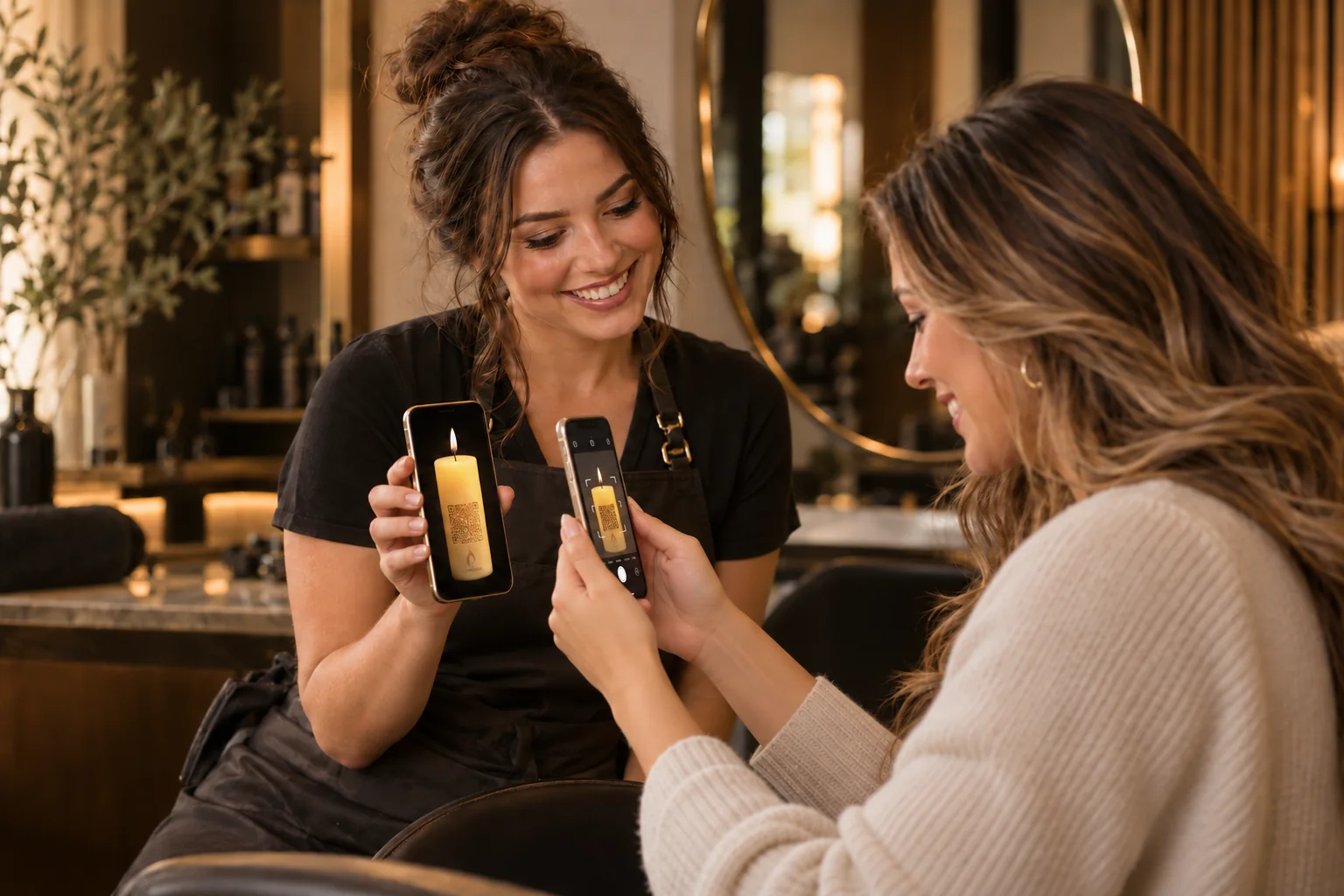
How it works
Three steps.No training.
A client scans once, taps twice, and you are saved on their phone. It takes less time than the last rinse.
Scan. Save. Return.
From your chairto their home screen.
The same simple handoff works at checkout, while their color processes, or in a text to your client list.
-
01Scan
They scan once
01 WhereRight off your phone screen at checkout, or from the link you text them. Just their phone camera.
-
02Save
They tap twice
02 Where it goesOnto their home screen on any phone, with arrows that show them exactly where to tap. Into Apple Wallet or Google Wallet too.
-
03Return
They book you again
03 ReturnOne tap opens your booking link. No searching, no lost card, no other stylist.
Tap a cube to turn it.
Why clients say yes
Nothing isasked of them.
No app, no account, no form. They point their camera, tap twice and go back to admiring their hair.
- Seconds, not minutes. It fits between the blowout and the payment.
- Your name on the wax. It is your Candle, not a salon’s app.
- A reward for keeping it. Each week they keep your Candle, a new Wisdom of Light opens inside it, free.
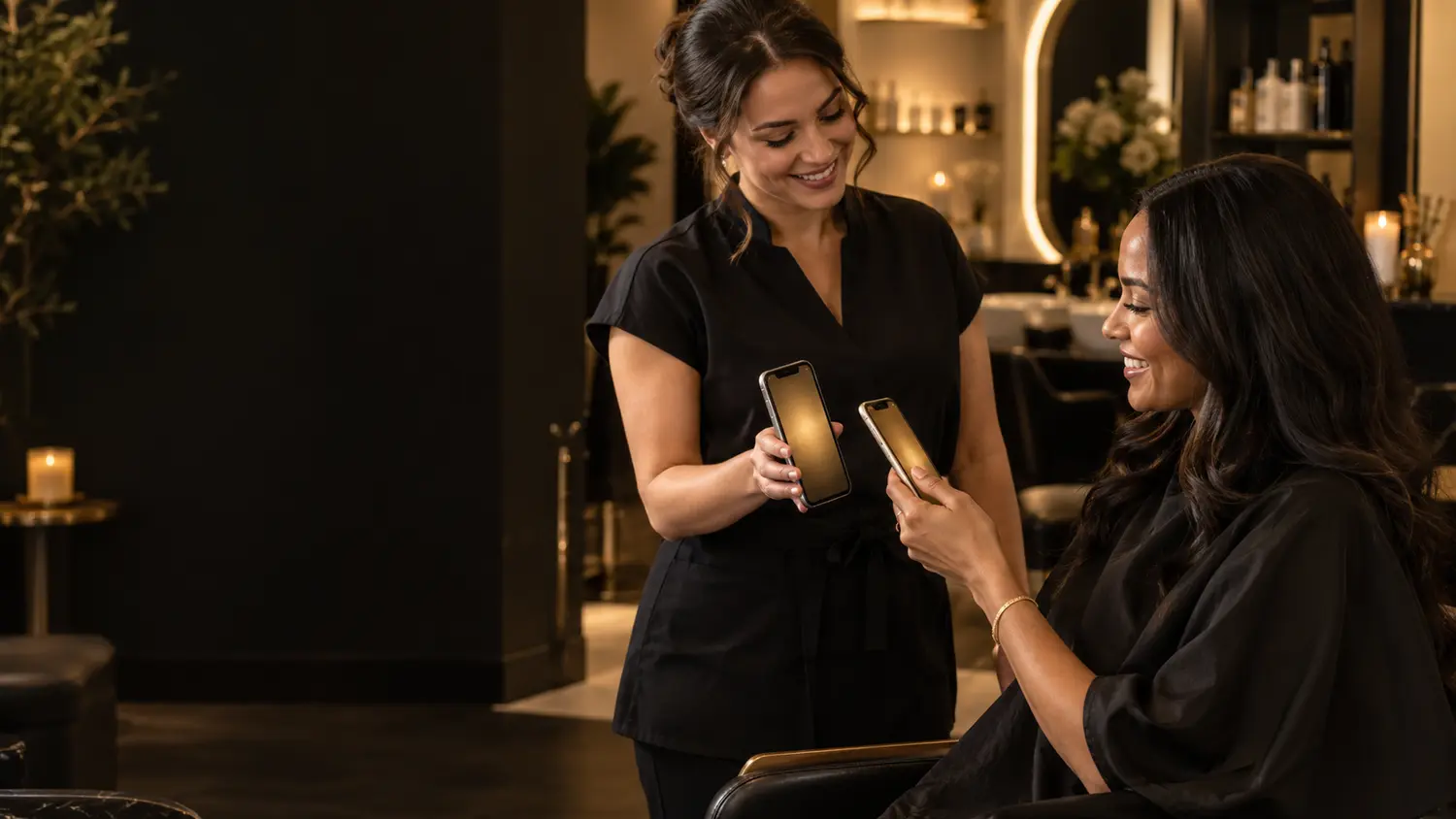
At checkout
Double-click.Hold up your phone. Done.
Your own Candle lives in your Wallet. Double-click your phone’s side button, tap your card, and hold it up. They scan your Candle with their camera and it opens on their phone, ready to keep.
- Or tap your home screen. Keep your own Candle on your home screen. Tap its icon and they scan your Candle, or tap Gift to send it on.
- AirDrop. Two iPhones? Share your link and hold the phones close. It lands on hers in a second.
- Not in the chair? Text, email or post your link. It opens the same Candle.
- Every scan is yours. Each one opens your Candle and your page, not anyone else’s.
Home screen first
On their home screen.Next to the apps they open every day.
Your Candle saves to the home screen on any phone, with its own icon. Arrows on their screen point to exactly where to tap, so nobody gets stuck.

The card they keep
One tap away.On the home screen, in Apple Wallet or Google Wallet.
Apple Wallet or Google Wallet is the fastest way in: two taps and you are on their phone. The Candle then guides them onto the home screen, where you can reach them when it matters.
- 1Into their Wallet in two taps
The fastest way onto the phone. The card carries your name and a button that opens your Candle.
- 2Guided to the home screen
Inside the Candle, arrows show exactly where to tap to save it to the home screen. On Android it goes straight to the home screen.
- 3Reach them when it matters
From the home screen, you can send a few timely notifications: an opening this week, a reminder that they are due, your holiday hours. Kept to what matters, so clients keep them on.
Two ways to keep you
Home screen first.Wallet second.
Home screen
Follow the arrow to Share, then Add to Home Screen. Your Candle gets its own icon.
Apple Wallet or Google Wallet
Two taps add your card to Apple Wallet or Google Wallet, with your name on it and a button back to you.
A reason to keep you
Keeping your Candle opens a new Wisdom of Light each week for a year, free.
Tap a card to turn it over.


Your page
Your chair,first inside your Candle.
When a client opens your Candle, your page comes first. Once you have your Candle, you fill it in yourself: your photo, your services and your booking link. Change it any time from your phone.
What’s on it
Four things.All yours.
A face they know
Clients follow people. Your photo reminds them who gets their color right every time.
What you do best
Cuts, color, extensions, treatments. A few lines so they know what to book next.
Call or text you
One tap to call, text or email you. No more hunting for your number.
Book with you
Your own booking link first in line, and your product shop if you have one. Every next visit goes to you.
Tap a card to turn it over.
Shared, not lost
When they share it,your name goes with it.
A friend asks who does their hair. They share your Candle in one tap, and the friend opens your page and your booking link, not someone else’s.
Your clients are yours. CandleMe never sells your list or contacts your clients.

Pricing
One simple price.Less than one missed booking.
The first 50 stylists get their first month free. No credit card required to start. After that, plans start at $29 a month, with no setup fee. Cancel any time.Plans start at $29 a month, with no setup fee. Cancel any time.
- Your CandleFirst month free, then $29 a month$29 a monthFor the first 50 stylists. No credit card required for the first month. Your Candle with its QR, your name on the wax and your page. No setup fee. Cancel any time.
- IncludedShare from your phoneYour Candle in your own Apple Wallet or Google Wallet: double-click to show your Candle. Or AirDrop, text or email your link.
- Your clientsAlways free for themNo app, no account, no cost to save you.
Included: a simple monthly report showing how many clients saved you, came back and shared you.

FAQ
Questions stylists ask.
Straight answers. If yours is not here, email us.
You and your suite
Do I need to change my booking app?
No. Keep whatever you use today: Vagaro, GlossGenius, Square Appointments, Booksy, StyleSeat, Fresha, your Instagram or your own website. CandleMe brings them together in one place and puts that place in your client’s Wallet, then on their home screen. One tap and they land where they already book.
What goes on my page, and who sets it up?
You do, in a few minutes. As soon as you sign up, we email you your Candle and a private link to your page: add your photo, your services and your booking link, plus how to reach you. Change any of it from your phone whenever you like.
Whose name is on the Candle?
Yours. Your name is engraved on the wax, with your suite or business name under it. Leave the business name empty and your own name stands alone.
I rent my suite. Do I need the building’s permission?
No. Your Candle is for your own business and your own clients. It carries your name, not the building’s.
What if I move to a new suite?
Your Candle moves with you. Change your address and your suite name on your page, and every client who already saved you sees the new details.
Is there a contract?
No. Cancel any time.
Your clients
Do my clients need an app or an account?
No. They scan your Candle and save it to the home screen, or to Apple Wallet or Google Wallet. No form, account or login.
What do you collect about my clients?
Nothing that identifies them. Your report shows totals: saves, returns, shares and link opens.
What if a client can’t save it to their home screen?
Arrows on their screen point to the exact buttons to tap. If it still doesn’t work, your Candle opens from your link any time, and they can still read their weekly Wisdom of Light.
Will we ever be billed twice for the same customer?
No. You are billed once, when a new customer receives your Candle and opens it. If they scan it again, they get their own Candle back at no charge. Once they save it, it stays theirs on that phone, and a repeat scan within an hour from the same connection and phone is not billed again either. More on our Support page.